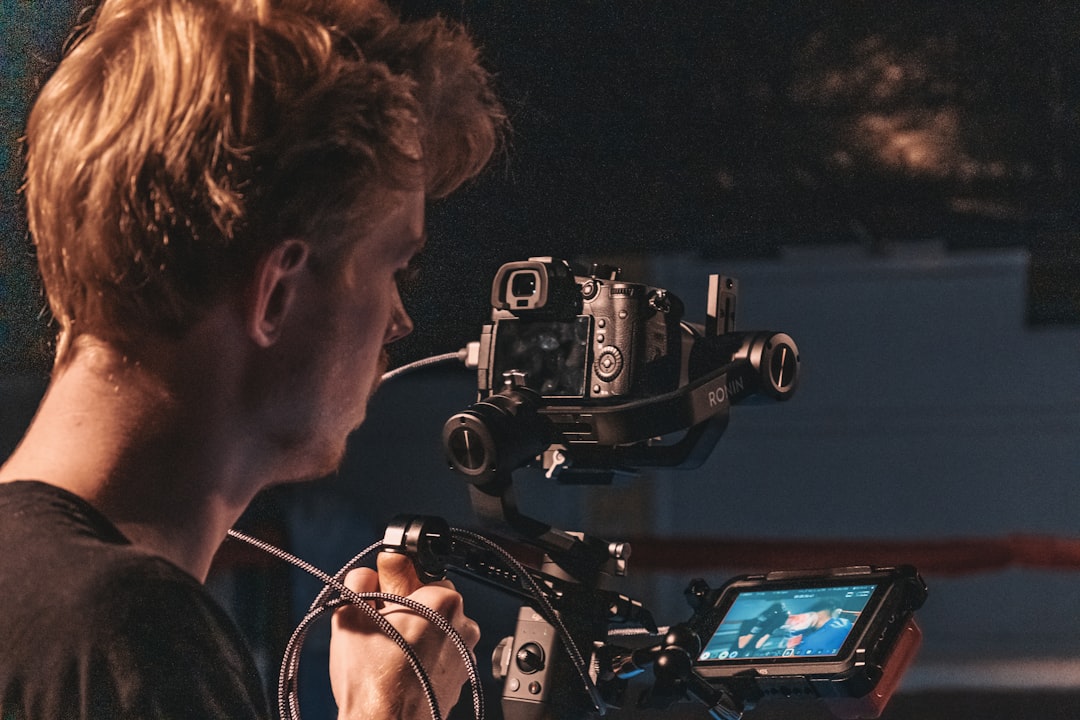
Why Anyone Can Start Making Great Videos Today
Digital filmmaking for beginners a practical guide to video production is exactly what this article is — a clear, step-by-step roadmap to help you go from zero to publishing your first video.
Here’s the fast answer if you need it now:
How to get started with digital filmmaking:
- Plan your project — write a script, build a shot list, and scout your location
- Gather basic gear — a smartphone or entry-level camera, a simple light source, and a microphone
- Shoot your footage — use wide, mid, and close-up shots; keep the camera steady; film in good light
- Edit your video — import clips, cut the timeline, add titles and transitions, then color grade
- Share your work — upload to YouTube, submit to festivals, or post short clips on social platforms
That’s the core loop. Everything else in this guide builds on those five steps.
The truth is, filmmaking used to require expensive equipment and a full crew. Not anymore. Hundreds of thousands of people are now shooting and producing videos with digital cameras for very little money — many using nothing but the phone in their pocket.
But here’s the catch: cameras don’t make great movies. Filmmakers do.
Knowing how to frame a shot, record clean audio, and cut a compelling sequence matters far more than the gear you own. That’s what this guide covers — the skills, not just the tools.
Understanding Digital Filmmaking for Beginners: A Practical Guide to Video Production
At its core, digital filmmaking is the process of capturing moving images using electronic sensors rather than physical film stock. In the old days (and we mean the really old days), light hit a strip of celluloid coated in chemicals. Today, light hits a digital sensor that converts those photons into ones and zeros.
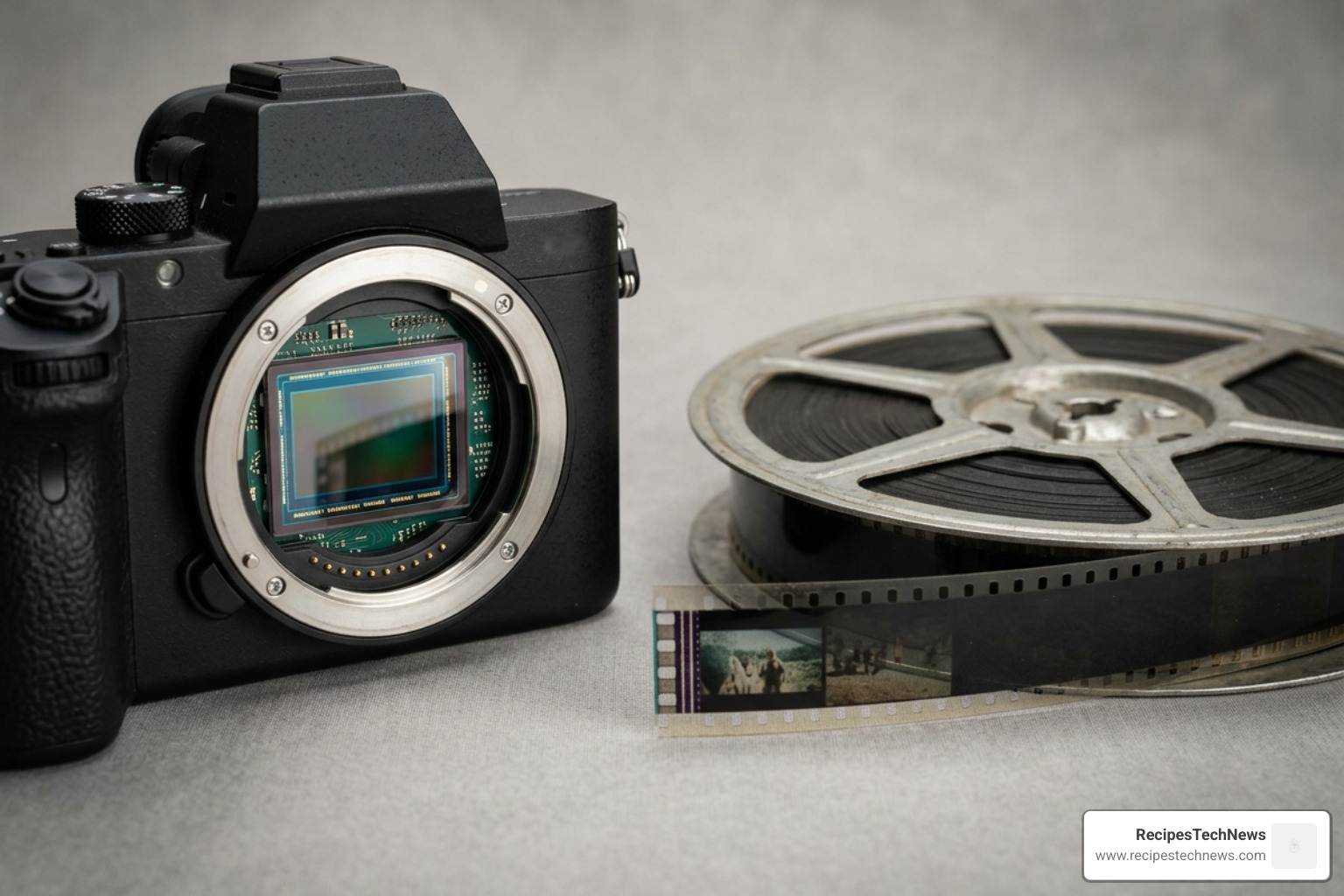
The primary difference between traditional and digital production is accessibility. Traditional film was expensive to buy, expensive to develop, and unforgiving if you made a mistake. Digital filmmaking has democratized the art form. We can now see our results instantly, delete what doesn’t work, and reshoot without spending a dime on “stock.”
For more on the foundational concepts, you can explore the Digital Filmmaking Guide 101, which emphasizes that whether you are making a fiction film or a documentary, the ultimate goal is always to tell a story.
The Evolution of the Digital Medium
Digital video didn’t just appear overnight. It evolved from photography roots and television standards like NTSC and PAL. We’ve moved from grainy analog signals to High-Definition (HD), 4K, and now 8K standards. By 2026, mobile innovations have pushed sensor technology so far that the gap between a smartphone and a professional cinema camera is narrower than ever. This evolution means that technical mastery is no longer about who has the biggest budget, but who understands the medium best.
Choosing Your First Camera
Don’t let “gear acquisition syndrome” stop you before you start. You have several options:
- Smartphones: The best camera is the one you have with you. Modern phones offer incredible 4K resolution and built-in stabilization.
- DSLRs and Mirrorless: These allow you to swap lenses, giving you that blurry “cinematic” background (bokeh) that phones often have to fakes with software.
- Media Types: Most beginners use SD cards or internal SSDs. Always ensure your media has a fast enough “write speed” to handle high-resolution video.
- Stabilization: Shaky footage is the hallmark of an amateur. Invest in a basic tripod, a gimbal, or even just a “gorillapod” to keep things steady.
The Three Pillars of Production: Planning, Shooting, and Editing
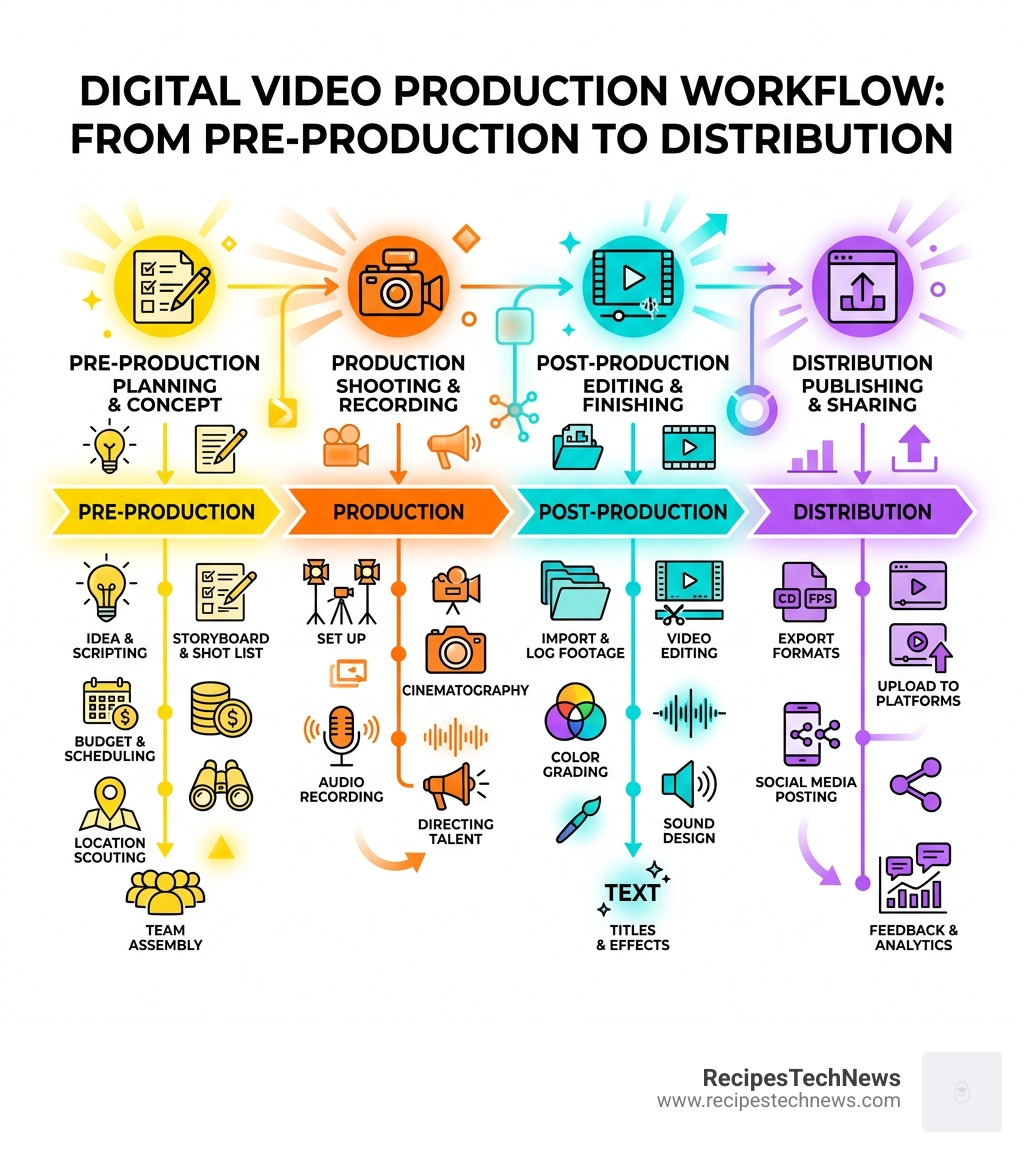
To keep your sanity, we divide the filmmaking process into three distinct phases. If you skip one, the others will suffer.
| Phase | Core Goal | Key Tasks |
|---|---|---|
| Pre-Production | Planning | Scripting, Storyboarding, Casting, Location Scouting |
| Production | Capturing | Cinematography, Sound Recording, Directing |
| Post-Production | Refining | Editing, Sound Design, Color Grading, Exporting |
Pre-Production: Scripting and Storyboarding
We often say that a minute of planning saves an hour on set. Pre-production is where you decide if your project is feasible.
- The Proposal: What is the film about? Why are you making it?
- The Script: Write down the dialogue and action.
- Storyboarding: Draw rough sketches of your shots. You don’t need to be an artist; stick figures work fine!
- Shot Lists & Scene Lists: Break the script down into every individual camera angle you need.
- Scheduling: When and where are you shooting? Do your actors have time?
Production: Digital Filmmaking for Beginners a Practical Guide to Video Production Techniques
This is where the “lights, camera, action” happens. During production, focus on coverage. This means getting enough different angles of a scene so that you have choices in the editing room. A common mistake is the “shooting ratio” trap—shooting too much footage that you’ll never use, or too little to tell the story.
A great resource for mastering these technical aspects is Digital Filmmaking for Beginners by Michael K. Hughes, which provides over four hours of instructional content on how to handle gear and set etiquette like a pro.
Post-Production: Editing and Visual Effects
Editing is where the film is actually “made.” You should approach it in stages:
- Assembly Cut: Placing all the “good” takes in order on the timeline.
- Rough Cut: Trimming the clips to get the timing and story flow right.
- Fine Cut: The final polish where every frame is perfect.
- The Extras: Adding titles, credits, and transitions. Don’t go overboard with transitions—a simple “cut” is usually better than a “star wipe.”
- Color Grading: Adjusting the colors to set the mood (e.g., blue for cold/sad, orange for warm/happy).
Essential Gear and Technical Mastery for 2026
While we emphasize skill over gear, you do need a basic toolkit. Over 5,000 organizations rely on professional learning platforms to train their creators, proving that even in the digital age, technical mastery is a sought-after skill.
Capturing Cinematic Visuals and Audio
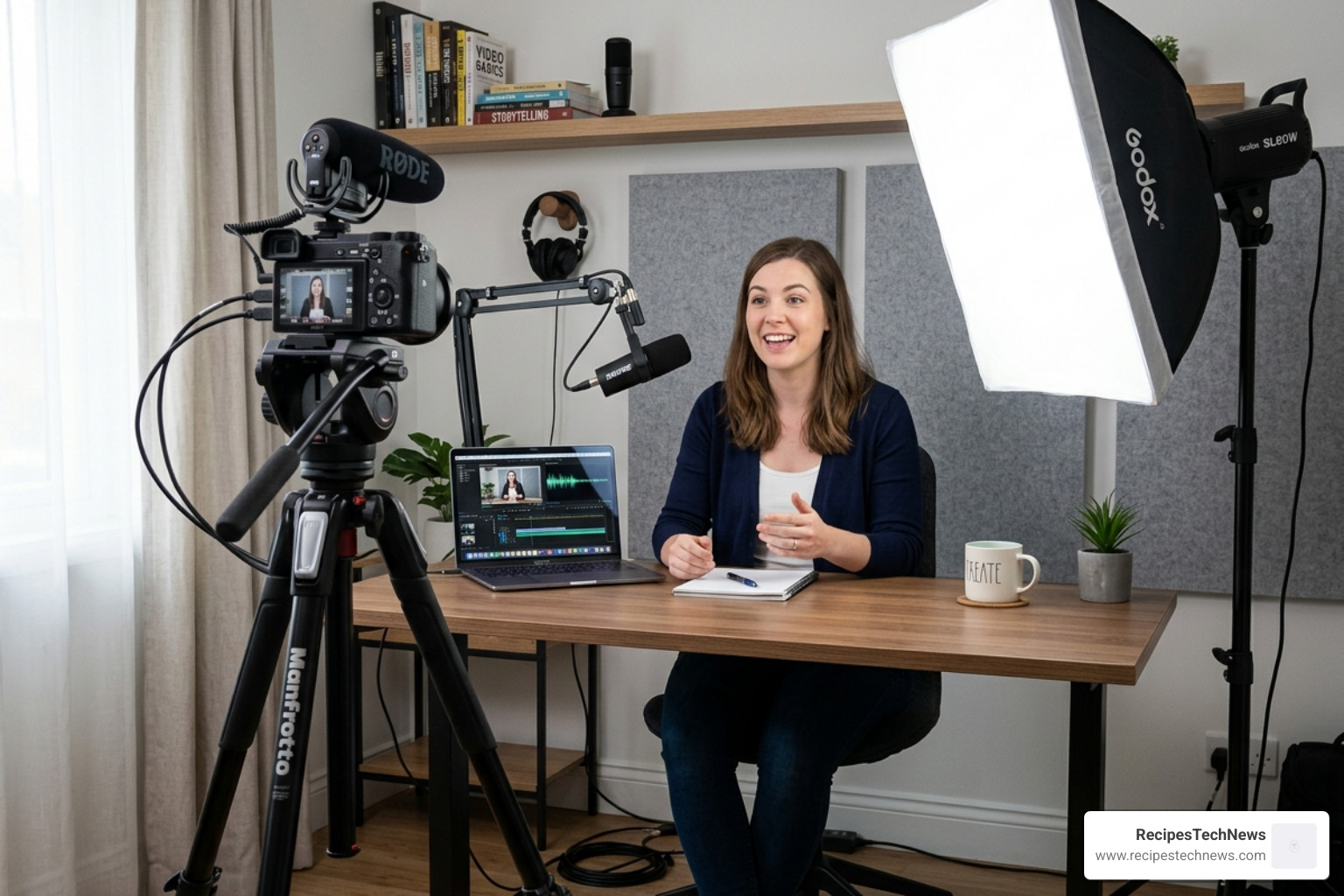
To make your video look professional, you must master the Three-Point Lighting system:
- Key Light: The main light on your subject.
- Fill Light: A softer light to fill in the shadows created by the key light.
- Back Light: A light behind the subject to separate them from the background.
For audio, audiences will forgive bad video, but they will never forgive bad audio.
- Microphones: Use a Shotgun microphone for directional sound or a Lavalier (lapel) mic for interviews.
- Placement: Get the mic as close to the subject’s mouth as possible without it being in the frame.
- Room Tone: Record 30 seconds of silence in your location. This helps you “fill the gaps” during editing.
Mobile Shooting in Digital Filmmaking for Beginners a Practical Guide to Video Production
In 2026, mobile filmmaking isn’t just a “budget” option—it’s a legitimate style.
- Sensors: Modern smartphone sensors handle low light surprisingly well.
- Vertical Video: With the rise of short-form platforms, shooting vertically is no longer a “sin,” though horizontal remains the standard for cinema.
- AI Tools: Use AI-assisted apps for focus tracking and automatic exposure.
- Workflow: Use USB-C cables for lightning-fast file transfers to your computer.
Distribution, Monetization, and Avoiding Common Pitfalls
Once your masterpiece is finished, you need to get it in front of eyes.
Common Beginner Mistakes to Avoid:
- Digital Zoom: Never use it. It just pixels the image. Move your body closer instead.
- Blocking the Mic: Ensure your hand isn’t covering the microphone hole on your phone or camera.
- Ignoring the Background: A messy room or a distracting pole “growing” out of someone’s head can ruin a shot.
Sharing and Monetization:
- YouTube/Vimeo: The standard for hosting and building an audience.
- Social Media: Use TikTok or Reels for “micro-narratives” to drive traffic to your main project.
- Film Festivals: Look for “Digital First” or “Smartphone” categories.
- Monetization: Once you have a following, look into affiliate marketing (linking to the gear you use) or sponsorships.
Current Trends and Global Perspectives
The world of filmmaking is more diverse than ever. We see the influence of vibrant Indian color palettes, the rhythmic pacing of Japanese animation, and the raw social commentary of African documentaries. Beginners should also stay aware of the rise of AI editing tools that can automate color grading and even suggest cuts, though the “human touch” in storytelling remains irreplaceable.
Frequently Asked Questions about Digital Filmmaking
What is the best beginner editing software in 2026?
For absolute beginners, CapCut or DaVinci Resolve (Free Version) are incredible. Resolve is professional-grade software that is surprisingly accessible. If you’re on a Mac, iMovie is still a solid starting point for learning the basics of the timeline.
Can I really make a professional movie on a smartphone?
Absolutely. Several feature films have been shot entirely on iPhones and screened in theaters. The key is using a third-party app (like Filmic Pro) to control your shutter speed and ISO manually, and using external audio and lighting.
How do I record high-quality audio on a budget?
If you can’t afford a professional mic, use a second smartphone. Open the voice memo app, hold it just out of frame near the subject, and sync the audio to your video in post-production. It sounds ten times better than the “on-camera” mic from ten feet away.
Conclusion
At RecipesTechNews, we believe that technology should empower your lifestyle and your creativity. Digital filmmaking is no longer a gatekept secret; it’s a skill available to anyone willing to put in the practice.
The most important advice we can give is this: start filming. Don’t wait for the perfect camera or the perfect script. Every mistake you make is a lesson that brings you closer to your unique filmmaking voice. Whether you’re documenting a family recipe or filming a sci-fi epic, the tools are in your hands.
For more practical guides on the latest gadgets and digital techniques, stay tuned to our latest updates. Keep moving, keep filming, and we’ll see you in the credits!