The Best Free Antivirus Software Reviews for 2026: Quick Picks
Free antivirus software reviews can save you hours of research — so here are the top picks right now, based on independent lab scores and real-world testing:
Top free antivirus software in 2026:
| Software | Best For | AV-TEST Score | Malware Detection |
|---|---|---|---|
| Bitdefender Free | Core protection, low CPU use | 18/18 (perfect) | 98.8% |
| AVG AntiVirus Free | Multi-layered defense | 17.5/18 | 98.8% |
| Avast One Basic | Privacy features + cross-platform | 9.8/10 aggregate | 100% |
| Microsoft Defender | Casual users, zero setup | 18/18 | 97.9% |
| Malwarebytes Free | Secondary scanner add-on | N/A | 98.8% |
Good news: you don’t have to spend a single dollar to protect your devices in 2026.
Free antivirus tools have come a long way. Back in the late 1980s, antivirus software cost anywhere from $10 to $189. Today, several free options use the exact same core engines as their paid counterparts — and score near-perfectly in independent lab tests.
That said, not all free antivirus tools are created equal. Some slow your system down. Some show constant upgrade popups. And a few have had serious privacy scandals in the past.
This roundup cuts through the noise. We break down which free tools actually work, what the independent testing labs say, and when it makes sense to upgrade.
Why You Need Third-Party Free Antivirus Software Reviews in 2026
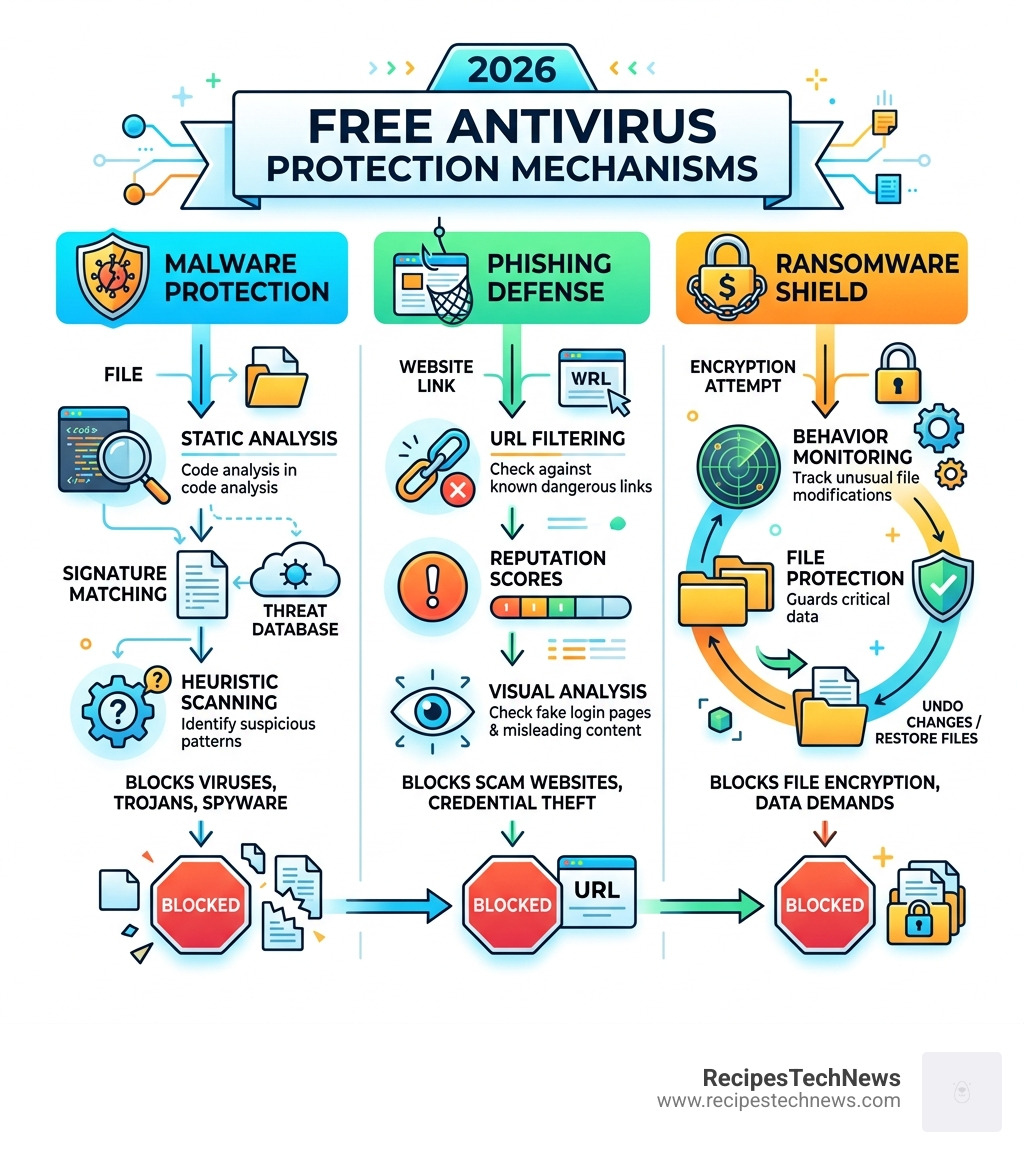
You might be wondering, “Doesn’t my computer already come with a shield?” Yes, it does. If you’re on Windows 11, you have Microsoft Defender. If you’re on a Mac, you have XProtect. For many casual users, these built-in tools are a great safety net, but they aren’t always the most efficient or effective.
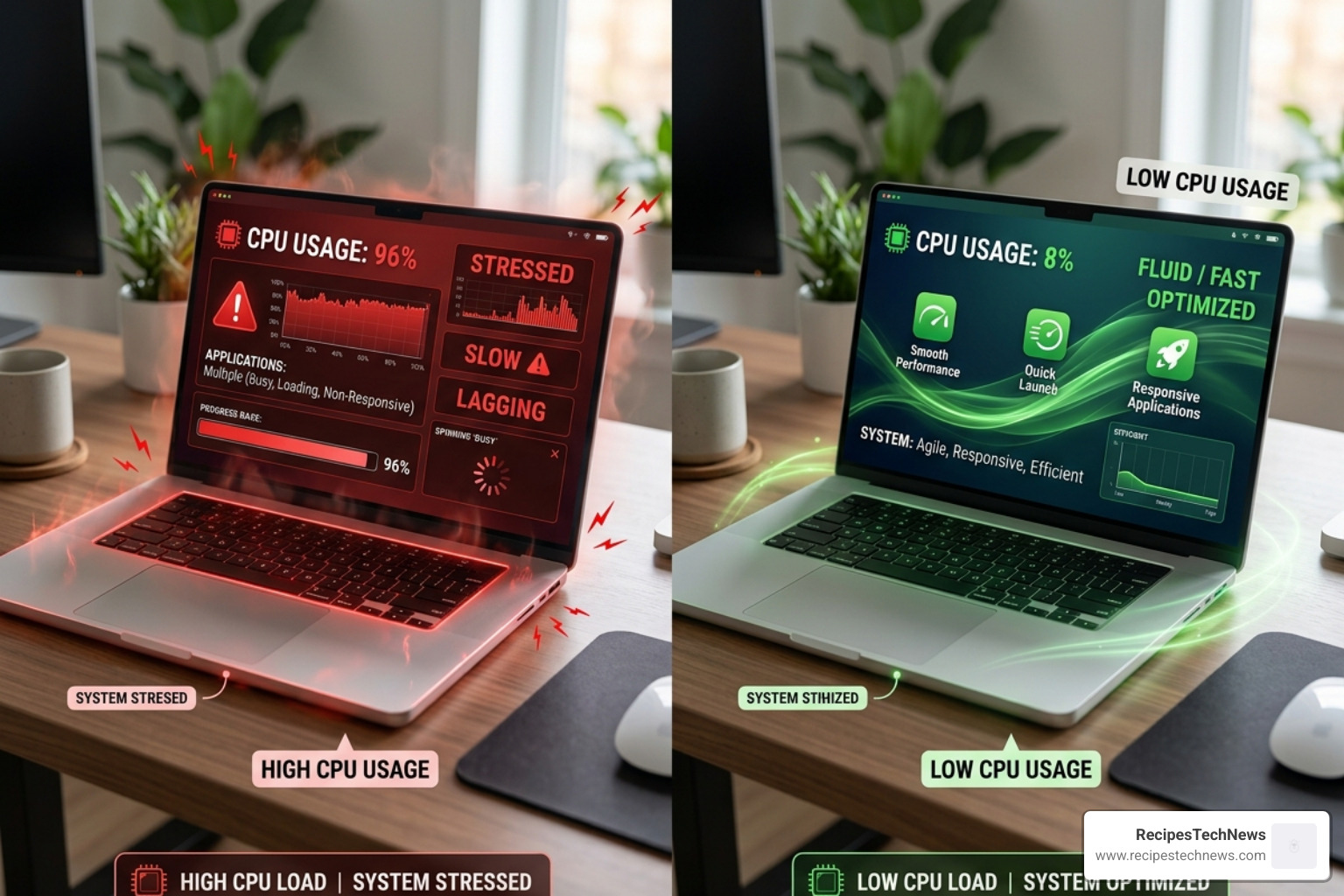
In our research into free antivirus software reviews, we found a massive disparity in how these programs handle your computer’s resources. One of the biggest complaints about Microsoft Defender is its performance impact. During active scans, Microsoft Defender has been recorded using up to 92.7% (and sometimes as high as 97.2%) of your CPU’s power. That is a huge drain that can make your laptop feel like it’s trying to run through waist-deep mud.
In contrast, third-party options like Bitdefender often use less than 10% of your CPU during active scans. This efficiency is a game-changer if you enjoy gaming, video editing, or just having fifty browser tabs open at once.
Beyond speed, there is the matter of raw detection. In AV-Comparatives’ September 2025 tests, third-party leaders like AVG and Bitdefender achieved a 98.8% online detection rate. Microsoft Defender trailed behind at 97.9%. While a 1% difference might seem small, in cybersecurity, that 1% represents thousands of new malware variants that could slip through the cracks.
| Feature | Microsoft Defender | Bitdefender / AVG |
|---|---|---|
| Detection Rate (2025) | 97.9% | 98.8% |
| Active Scan CPU Usage | Up to 92.7% | < 10% |
| Phishing Protection | Moderate | 100% (Bitdefender) |
| Offline Protection | Good | Excellent |
Top-Rated Free Antivirus Software for 2026: The Winners
Choosing the right tool depends on your specific needs. Are you looking for a “set it and forget it” solution, or do you want extra features like a VPN and system tune-up tools? Based on over 1,500 hours of malware specialist testing across 40+ products, these are the standout winners for 2026.
Bitdefender Antivirus Free: The Performance King
If you want the best protection without the “bloat,” Bitdefender is our top recommendation. It is essentially a “no-frills” version of their paid suite, using the exact same malware-fighting engine that consistently earns perfect scores from independent labs.
In recent evaluations, Bitdefender achieved a 100% phishing detection rate, catching fraudulent sites that even the most popular browsers missed. Its “Advanced Threat Defense” is particularly impressive; in hands-on tests, it blocked nearly all ransomware samples from encrypting files, even when the real-time protection was briefly toggled off.
The best part? It stays out of your way. You get lab-certified protection with almost zero impact on your system speed. You can read more about its specific lab results in the Bitdefender Antivirus Free for Windows Review: Lab-Certified Antivirus With No Frills and No Fees | PCMag.
AVG AntiVirus Free: Best for Multi-Layered Defense
AVG has been a staple in the free security world for decades, and in 2026, it remains one of the most robust options available. It uses the “Gen Stack” engine (shared with its siblings Avast and Norton), which means you’re getting world-class detection technology for free.
AVG consistently earns a perfect 6 out of 6 protection score in AV-TEST evaluations. One of its standout features is the Boot-Time Scan. This allows the software to scan your computer before the operating system fully loads, making it much easier to remove stubborn “rootkits” that hide deep within your system. It also offers a “Rescue Disk” feature, which helps you recover a system that has been so badly infected it won’t even start.
While AVG does include some upsell prompts for its paid version, its core protection is undeniable. You can find a deeper dive into these features in the AVG AntiVirus Free Review.
Avast One Basic: Comprehensive Privacy Features
Avast One Basic is the “Swiss Army Knife” of free security. While most free tools focus strictly on malware, Avast includes a suite of privacy features that are usually locked behind a paywall.
We’re talking about data breach monitoring (which alerts you if your email password ends up on the dark web) and a limited VPN. While the VPN is capped at 5GB per week—which won’t let you binge-watch Netflix—it’s perfect for securing your connection while you’re at a coffee shop or airport. With a 9.8 aggregate lab score, it’s one of the most reliable all-in-one packages for home users.
How Independent Labs Conduct Free Antivirus Software Reviews
We don’t just take the software companies’ words for it, and neither should you. We rely on data from independent testing labs like AV-TEST and AV-Comparatives. These organizations are the “gold standard” of the industry, testing software in compliance with AMTSO (Anti-Malware Testing Standards Organization) protocols.
The scoring system is rigorous. For example, AV-TEST evaluates products in three categories:
- Protection: How well does it stop malware?
- Performance: Does it slow down the computer?
- Usability: Does it annoy the user with false alarms?
A product can earn a maximum of 6 points in each category for a total of 18 points. Any software scoring 17.5 or higher earns the coveted “TOP PRODUCT” award. These labs use “real-world” testing scenarios, which involve exposing the antivirus to thousands of malicious URLs and “zero-day” threats (brand-new viruses that haven’t been seen before). They even use EICAR test files—standardized files that aren’t actually harmful but are designed to trigger an antivirus response—to ensure the software is “awake” and functioning.
Free vs. Paid: When Should You Upgrade Your Security?
If free antivirus is so good, why does anyone pay for it? It’s a fair question. The “freemium” model means you get the core engine for free, but the “luxury” features are kept for paying customers.
You should consider upgrading to a paid solution if:
- You need a full VPN: Most free versions limit you to 200MB or 500MB a day.
- You want a “Hardened” Firewall: While Windows has a built-in firewall, paid suites often offer more granular control to block sophisticated network attacks.
- You have a family: Free versions usually limit you to 1 or 3 devices. Paid plans often cover 10+ devices across Windows, Mac, Android, and iOS.
- You want tech support: Free users are usually limited to “self-help” forums. If you want a human to help you remove a virus over the phone, you’ll need a subscription.
- You hate ads: Free software often includes “upsell” popups. Paid versions are usually completely clean.
For most people, the free version is more than enough. But if you’re managing sensitive business data or have a large household of devices, the $40–$60 annual fee is often worth the peace of mind.
Best Free Security Tools by Operating System
Not every antivirus works the same on every device. A great Windows tool might be mediocre on a Mac, and mobile security is a whole different ball game.
Top Picks for Windows and macOS
For Windows 11, the battle is between Bitdefender and AVG. Both offer superior detection and lower resource usage than the built-in Defender. If you’re looking for a specialized review for the Australian market, check out the Bitdefender Antivirus Free for Windows – Review 2026 – PCMag Australia.
For macOS, the landscape is a bit different. Apple’s XProtect is very good at blocking known Mac malware, but it struggles with “phishing” (fake websites trying to steal your Apple ID). In hands-on tests, Avast One Basic for Mac achieved a 99% detection rate for phishing, while AVG AntiVirus for Mac aced the test with 100% accuracy. Given that 11% of macOS detections in 2025 were new malware variants, a third-party layer is highly recommended.
Mobile Security for Android and iOS
Mobile security is often overlooked, but it shouldn’t be.
- Android: This is where you need a real antivirus. Android allows “sideloading” apps, which opens the door for malware. Tools like Avast for Android include “Camera Traps” (which take a photo of anyone trying to unlock your phone) and remote wiping features if your device is stolen.
- iOS (iPhone/iPad): Because of Apple’s “sandboxing” (where apps can’t talk to each other), traditional viruses don’t really exist on iPhones. However, you still need protection against phishing and unsecured Wi-Fi. Most “antivirus” apps for iOS are actually “security suites” that provide VPNs and web protection rather than file scanners.
Frequently Asked Questions about Free Antivirus Software Reviews
Are free antivirus software reviews reliable for home users?
Yes, especially when they are backed by independent labs. Specialists spend over 1,500 hours testing these tools against over 200 real malware samples. When we see a “100% detection rate” from a lab like AV-TEST, it means the software successfully blocked every single threat thrown at it in a controlled, scientific environment.
Is the built-in Microsoft Defender sufficient for 2026 threats?
It’s “sufficient” for a careful user, but it’s rarely the “best.” As we noted, it uses significantly more CPU power than third-party tools and often lags behind in phishing detection. Think of Microsoft Defender as the spare tire in your trunk—it’ll get you to the shop, but you wouldn’t want to drive on it forever.
Do free antivirus programs include intrusive ads or spyware?
Most reputable free programs (like those mentioned here) use non-intrusive ads that last only a few seconds. However, privacy is a valid concern. In the past, Avast faced criticism over data collection practices, and Kaspersky has been banned from US government systems due to geopolitical concerns. Always check the privacy policy of a free tool to see how they handle your data and look for “opt-out” settings for data sharing.
Conclusion
At RecipesTechNews, we believe that staying safe online shouldn’t be a financial burden. Whether you choose the lightweight efficiency of Bitdefender or the feature-rich Avast One Basic, the most important step is having some form of active protection.
Software is only half the battle. We recommend a “layered” approach: use a top-rated free antivirus, enable two-factor authentication (2FA) on all your accounts, and schedule a full system scan at least once a week. By combining these tools with smart browsing habits, you can keep your digital life secure without spending a dime.
For more tips on staying safe online, you can read More info about our privacy practices to see how we handle security here at RecipesTechNews. Stay safe out there!